Section – GraphQL
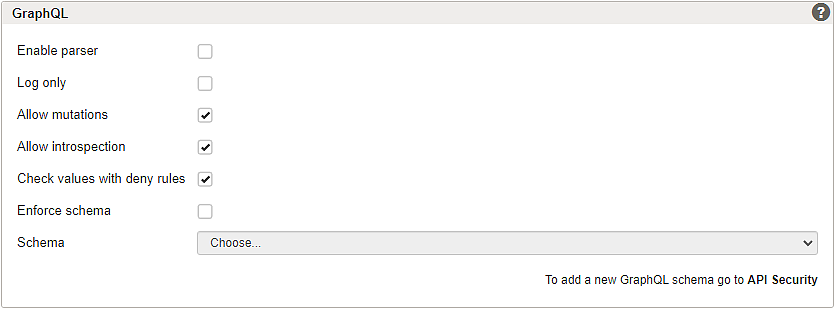
GraphQL queries, variables and operation names can be extracted from different sources:
- HTTP query parameters
- JSON bodies
ON/OFF radio buttons:
- To enable GraphQL security checks for a mapping, set the radio button to ON. By default, GraphQL is OFF (disabled).
GUI | Description |
|---|---|
Log only | GraphQL requests are checked in Log only mode, but no blocks are enforced based on GraphQL checks. Functional limitation Note that with the option Check values with deny rules enabled, the Security Gate can (still) block GraphQL requests based on the current deny rules. Use Policy Learning to create deny rule exceptions if required. See article GraphQL integration for more information. |
Allow mutations | When enabled, GraphQL mutations are allowed. |
Allow introspection | When enabled, GraphQL introspections are allowed. |
Check values with deny rules | Values in GraphQL requests are checked against the deny rules when enabled. Deny rule exceptions can be created using Policy Learning. |
Enforce schema | GraphQL requests are checked against the selected Schema when enabled. Requests are blocked if they are not compliant with the uploaded schema. A GraphQL schema must be selected before this option can be enabled. |
Schema | A GraphQL schema can be selected and uploaded to validate requests. See GraphQL schema configuration for adding a new schema. |
Further information and links
Internal links:
- GraphQL integration
- (Schema upload) Section – GraphQL Schema
- Section – GraphQL Limits
- (API Security settings) Section – GraphQL Schema
External links: