Optional configuration of Traffic Matchers
Configuring Traffic Matchers is an optional step. Traffic Matchers can be used to exclude selected incoming traffic from Anomaly Shield processing, e.g., internal vulnerability scans. This can also reduce system load by preventing traffic that does not need to be analyzed from being processed by Anomaly Shield.
Traffic matchers are configured as sets of regex filters and IP Lists that can be applied to incoming traffic.
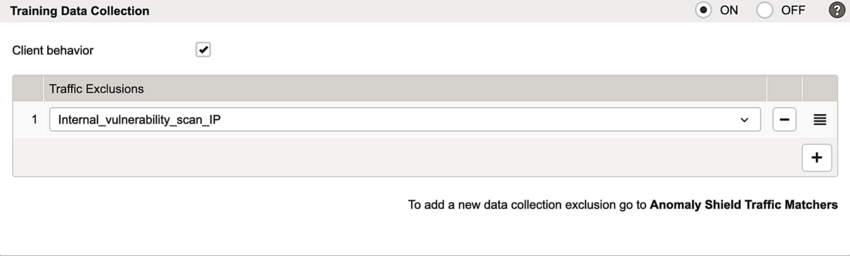
- Training Data Collection – to exclude selected traffic from being collected as training data
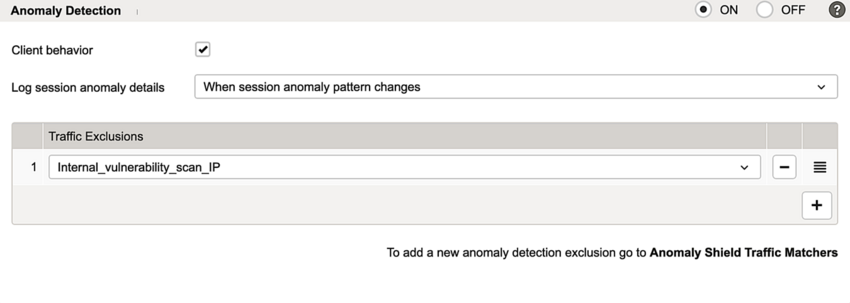
- Anomaly Detection Exclusions – to exclude selected traffic from Anomaly Shield analysis, e.g., internal vulnerability scans or monitoring traffic. Excluding such traffic can also reduce system load.
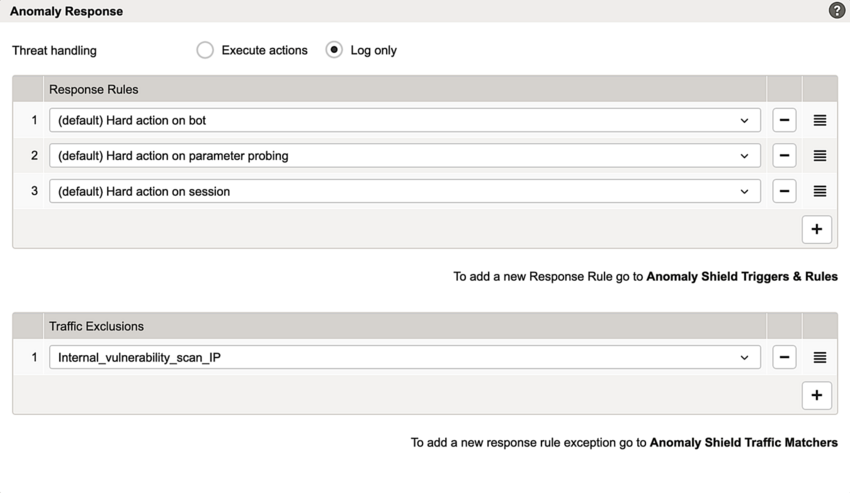
- Response Rule Exceptions – to prevent Anomaly Shield response actions for selected traffic, e.g., to allow a vulnerability scan without disabling Anomaly Shield for other traffic
To configure Traffic Matchers:
- Go to:
Application Firewall >> Anomaly Shield >> tab Traffic Matchers - Click the + button to create a new traffic matcher.
- The Anomaly Shield Traffic Matchers detail page opens up.
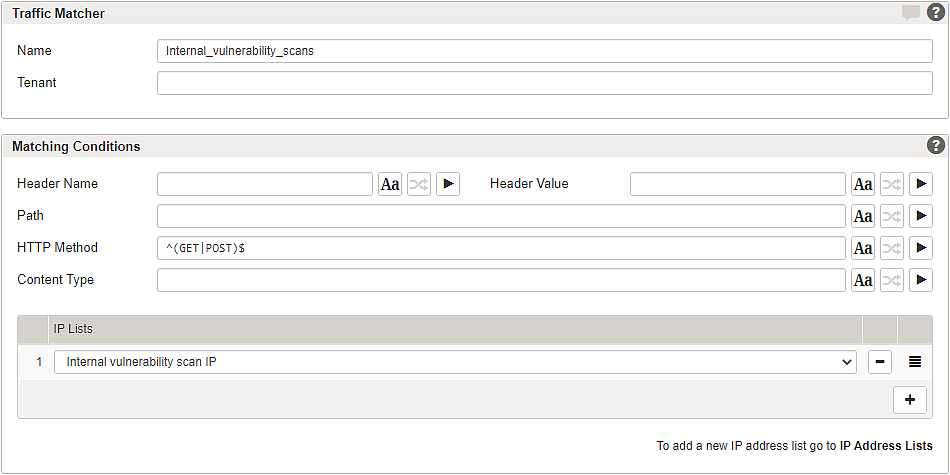
- Set the filter conditions in the section Matching Conditions. The following example matches traffic from known IP addresses, such as the source addresses of internal vulnerability scanners:
Note that our example only uses an IP filter. IP Lists are managed here: Submenu – IP Address Lists.
- Info
You can add additional traffic matchers with more complex filter conditions, e.g., by specifying a path and HTTP Method to be matched.
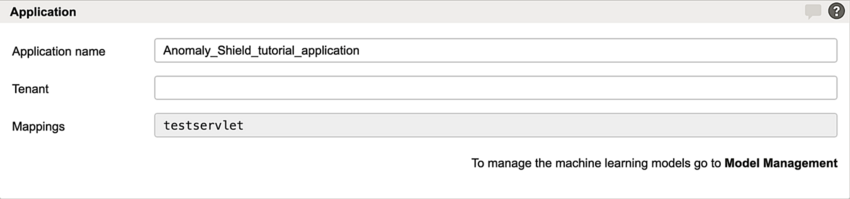
- Apply the traffic matcher under Anomaly Detection Exclusions on the Anomaly Shield Application detail page:
- Activate the configuration.