Submenu – IP Address Lists

IP address lists are named sets of IP addresses which can be referenced in different parts of Airlock Gateway configuration:
- Mapping detail page, IP Rules tab for configuring threat categories, allowlists and denylists
- Mapping detail page, Advanced tab for DoS Attack Prevention
- Session submenu, Session Denial-of-Service Mitigation section
Manually created IP address lists may be used for both deny- and allowlisting purposes.
IP address lists from the Threat Intelligence subscription (see Submenu – Threat Intelligence) are populated automatically and they may only be used for denylisting purposes.
To manage an IP address list, click its name. You can maintain any number of IP address lists, and each list can contain one or more IP addresses in CIDR notation.
Tab – Basic
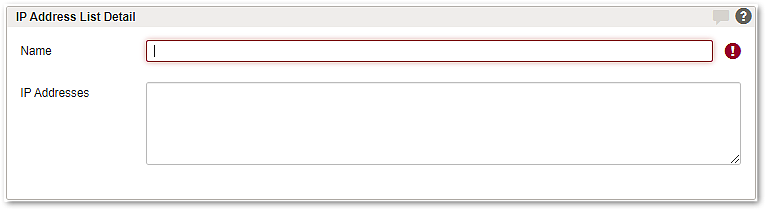
GUI | Description |
|---|---|
Name | Define a unique name for the list. This name will be used to select the IP address list in other parts of the WAF. |
IP Addresses | Define a list of IP addresses in CIDR notation. Comments start with the hash character ( Note that an empty IP address list will never match. Examples: # internal network 10.0.0.0/8 172.16.33.0/24 192.168.0.100 # guest workstation There is no validation regarding IP addresses and the same address or address range may be defined multiple times and in multiple lists. |
Tab – References
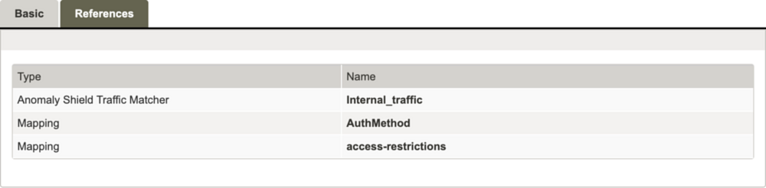
The References tab lists all entities that reference the current IP adress list. The table contains the columns Type and Name. Each referenced IP adress list is listed only once. The entries are grouped by type and sorted alphabetically. Select the name of an IP adress list to open the detail view of the corresponding entity (e.g., the detail view of a mapping).