Anomaly Shield Application detail page
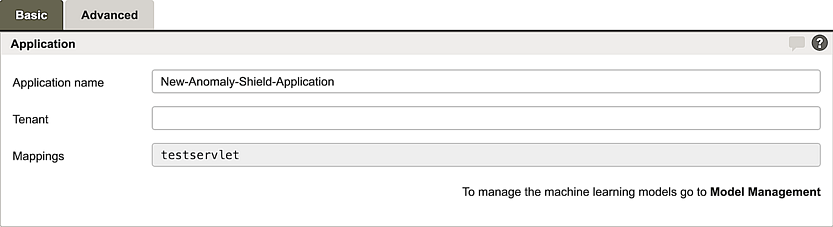
Airlock Anomaly Shield is configured per application.
Tab – Basic
Section – Application

GUI | Description |
|---|---|
Application Name | A unique name for the Anomaly Shield Application. |
Tenant | Specifies the tenants that can access and manage this configuration. |
Mappings | Displays the mappings assigned to this Anomaly Shield Application. Mappings are assigned in the Mapping configuration (see Section – Anomaly Shield) and cannot be modified here. |
Section – Training Data Collection
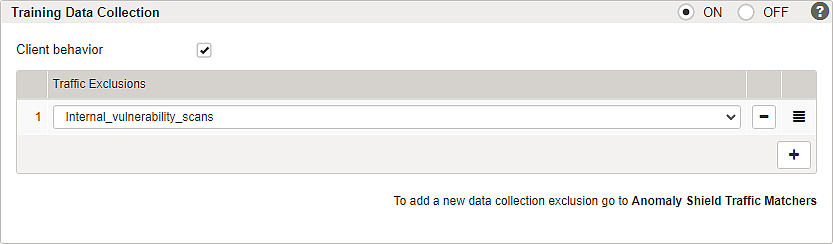
The machine learning models require training data to establish a baseline of normal behavior. Anomaly Shield operates on session data and does not require authenticated sessions.
Data collection should remain enabled to continuously provide training data and allow automatic retraining to improve model accuracy over time.
GUI | Description |
|---|---|
Client behavior | When enabled, a JavaScript snippet is injected into the application to collect client-side interaction data (keyboard, mouse, touchscreen). This data is aggregated into session metrics and stored during data collection. In detection mode, the Client Behavior model evaluates these metrics and calculates an additional model score that can be used in trigger configuration (see Section – Rules). |
Traffic Exclusion | Can be used to exclude non-relevant traffic from training data. Configured exclusions are AND linked Examples:
|
Recommendations for training data collection:
To ensure optimal model accuracy, enable data collection permanently and use automatic retraining (Retrain and enforce mode).
For more details see Part 2 – Training and model enforcement.
Section – Anomaly Detection
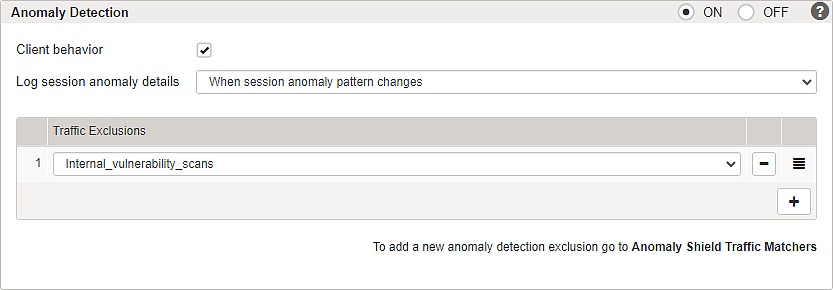
The machine-learning algorithm has to be configured for thread detection and subsequent response handling. Settings for response rule exceptions can be configured here as AND operations.
GUI | Description |
|---|---|
Client behavior | When enabled, a custom JavaScript is injected into the website to track a wide range of metrics regarding the client's use of input devices, i.e., keyboard, mouse, and touchscreen. |
Log session anomaly details | Possible values for logging can be:
|
Traffic Exclusion | Can be used to exclude traffic from anomaly evaluation. Configured exclusions are AND linked Examples:
|
Section – Anomaly Response
This section defines how Airlock Anomaly Shield reacts to detected anomalies. Depending on the configuration, anomalies can be logged or trigger active response actions.

GUI | Description |
|---|---|
Threat Handling | Defines how detected anomalies are handled:
|
Response Rules | Defines which actions are executed when anomalies are detected. Use the + button to select one or more response rules. For more details see Triggers & Rules detail page |
Traffic Exclusion | Can be used to exclude traffic from anomaly evaluation and response handling. Configured exclusions are AND linked. Examples:
|
Tab Advanced
Section – Indicator Thresholds
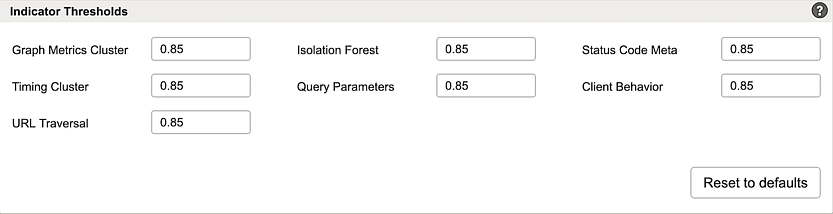
This section shows the threshold values for the individual detection models used by the application. Each threshold defines the point at which the corresponding model contributes to the detection of suspicious behavior. These values are configured per application, not globally, so they can be adjusted independently for different application contexts.
Further information and links
Internal links:
- For an introduction including conceptual information, see: Airlock Anomaly Shield
- Configuration is described here: Airlock Anomaly Shield configuration
- For details about anomaly logging, see: Log messages and actions