Realm Management functionality
The Realm Management functionality allows creating, edit and delete realm roles, realms and delegations. It is only visible to users who hold the corresponding global permissions to perform realm administration. See also Use of roles in the Realms mode.
The Realm Management functionality includes two tabs:
- Realm Roles tab: Used to create, edit and delete realm roles. The logged-in user only sees the realm roles directly assigned to them, as well as the subroles of the directly assigned roles.
- Delegations tab: Used to create, edit, and delete delegations. Delegations connect roles with realms and permissions.
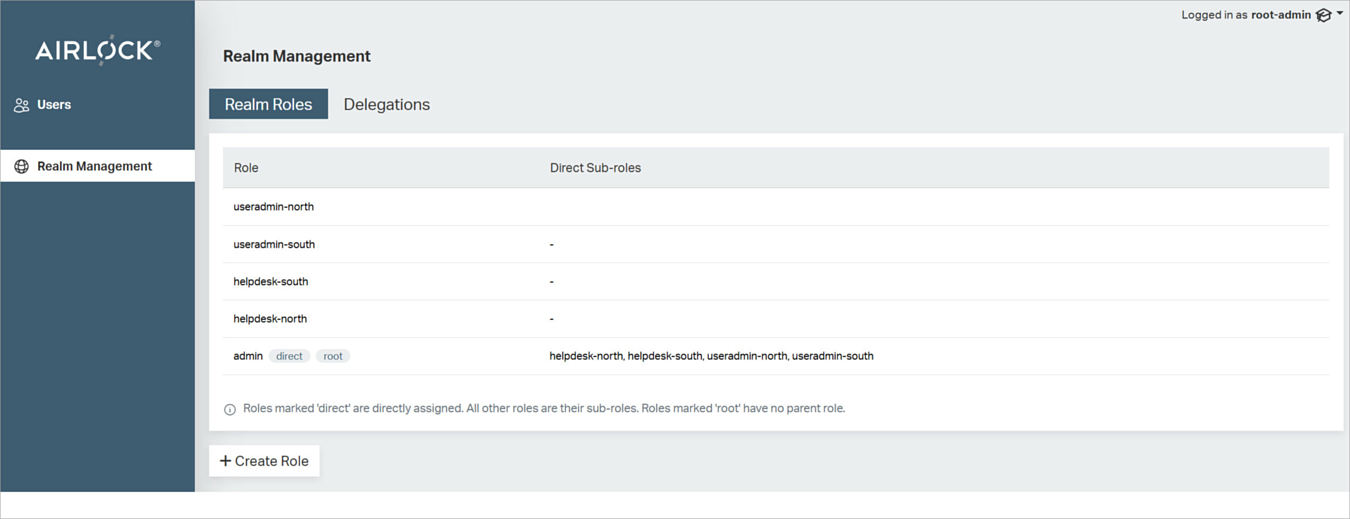
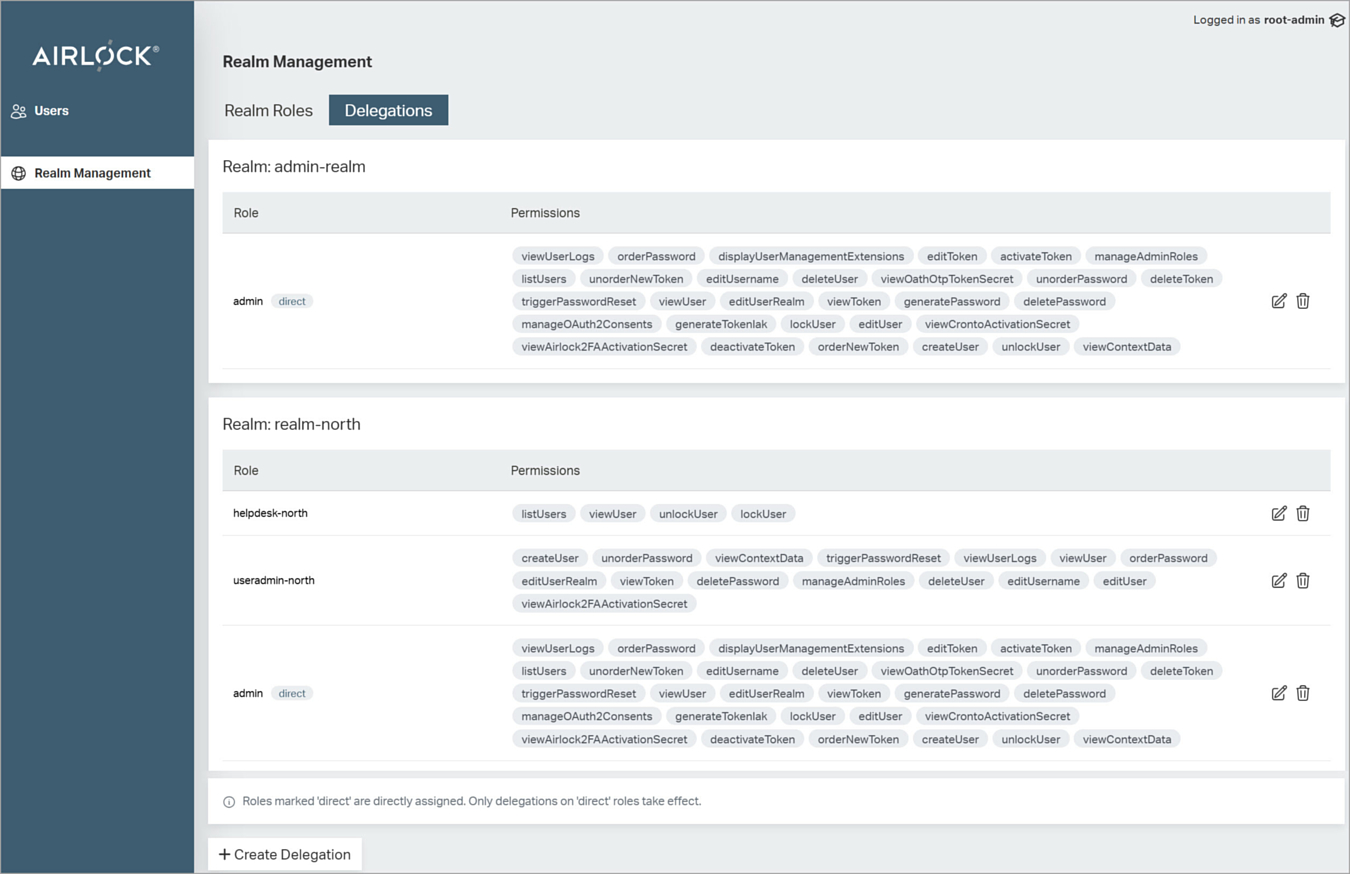
There is no tab for realms. A realm is created when you specify the first delegation for this realm, that is, when you assign a realm role to this specific realm for the first time.
- To create a new role, click Create Role in the Realm Roles tab.
- To create a new delegation, click Create Delegation in the Delegations tab.
- To edit and delete roles, realms and delegations, use the icons on the right of the corresponding entries in the tabs.
For an explanation of how to use the Realm Management functionality, see Build the realm administration environment
REST operations for realm administration management
The table below lists the realm elements, corresponding actions and REST operations/paths:
Element | Actions | Operation and paths |
|---|---|---|
Realms | List the realms the current user has access to |
|
Realm roles | Create and list realm roles |
|
Delegations | Create, edit, delete, and list |
|
Permissions | List the permission that can be assigned in a realm |
|
User realm | Set/change a user's realm |
|