• About
  • Release and support
  • System architectures
  • Getting started
  • Requirements and limitations
  • Installation, upgrade and system provisioning
  • Basic concepts
  • REST-API-based configuration and administration
  • Configuration Center (GUI)
    • Button – Activate
    • Menu – Dashboard
    • Menu – System Setup
      • Submenu – License
      • Submenu – Updates
      • Submenu – Nodes & Interfaces
      • Submenu – Routes
      • Submenu – Hosts
      • Submenu – Network Services
      • Submenu – Threat Intelligence
      • Submenu – IP Address Lists
      • Submenu – System Admin
        • Section – Time & Date
        • Section – System Control
        • Section – API Keys
    • Menu – Application Firewall
    • Menu – Log & Report
    • Menu – Configuration
    • Menu – Expert Settings
  • Configuration examples and guides
  • Integration of 3rd-party products and applications
  • Operation
  • Expert settings collection
  • Troubleshooting and support
  • Reference documentation
  1. Configuration Center (GUI)
  2. Menu – System Setup
  3. Submenu – System Admin
  4. Section – Time & Date

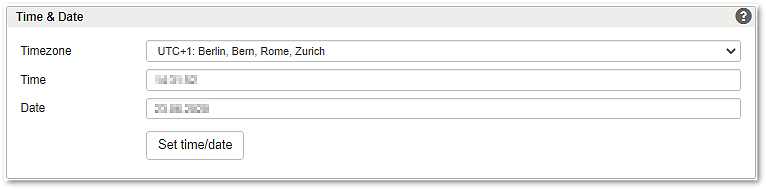
Section – Time & Date

 
Notice

Changing the system's date and/or time may invalidate your current configuration session. Make sure that you save and activate any changes before changing the date and/or time.

 
Notice

Changing the time-zone requires an immediate reboot of the system. Make sure to save your changes first or to activate your changes.