ACME Service configuration
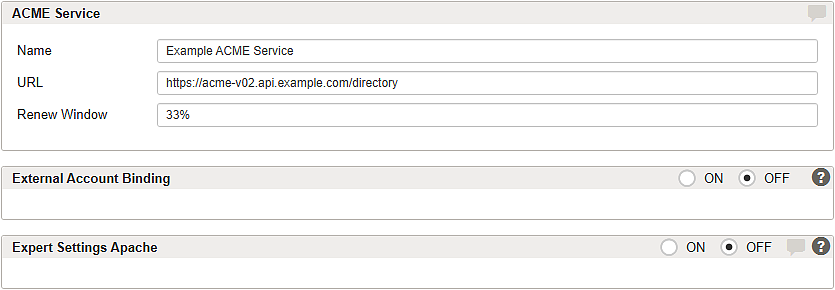
Each ACME service can be configured on its own detail page—except for the pre-configured, read-only Let’s Encrypt services. The configured services can be used for automatic certificate management for virtual hosts as described in the article Tab – SSL.
GUI | Description |
|---|---|
Name | Name of the new service. |
URL | ACME service endpoint URL inclusive protocol. Notice If the URL uses HTTPS and the ACME service endpoint presents a server certificate issued by a certification authority (CA) that is not trusted by the Gateway instance, Airlock Gateway cannot establish the TLS connection to the ACME service. In this case, install the issuing CA certificate on the Gateway instance first; see Installing a custom CA certificate. |
Renew Window | Minimum remaining validity period of the certificate in percent. The certificate is renewed when the threshold value is reached. |
By using an ACME service, you automatically agree to the terms and conditions of use for the service.
For the Let's Encrypt subscriber agreement, see the Let's Encrypt policy and legal documentation.
Section – External Account Binding
Some ACME certificate authorities have existing account management systems that are separate from ACME accounts. To create a new ACME account with these providers you must register with some extra information to link the new ACME account with the external account. This setup is known as External Account Binding (EAB). Further information can be found in the official Apache 2.4 documentation of External Account Binding (EAB).
When enabled, you can add a Key ID string value and an HMAC key value as credentials.
Section – Expert Settings Apache
The default configuration of Apache is suitable for most general purposes and usually, no further customization is required. However, adding related mod_md tweaks in the code box makes custom configuration possible.
For more information and examples, see official Apache 2.4 mod_md documentation.