• About
  • Release and support
  • System architectures
  • Getting started
  • Requirements and limitations
  • Installation, upgrade and system provisioning
  • Basic concepts
  • REST-API-based configuration and administration
  • Configuration Center (GUI)
    • Button – Activate
    • Menu – Dashboard
    • Menu – System Setup
    • Menu – Application Firewall
    • Menu – Log & Report
      • Submenu – Log Viewer
      • Submenu – Reporting
      • Submenu – Session Viewer
      • Submenu – System Monitor
      • Submenu – Settings
        • Section – Syslog Forwarding
        • Section – Event Notification Channels
        • Section – Reporting
        • Section – Prometheus
        • Section – Log Level
    • Menu – Configuration
    • Menu – Expert Settings
  • Configuration examples and guides
  • Integration of 3rd-party products and applications
  • Operation
  • Expert settings collection
  • Troubleshooting
  • Reference Documentation
  1. Configuration Center (GUI)
  2. Menu – Log & Report
  3. Submenu – Settings
  4. Section – Log Level

Section – Log Level

The following log settings can be configured:

GUI

Description

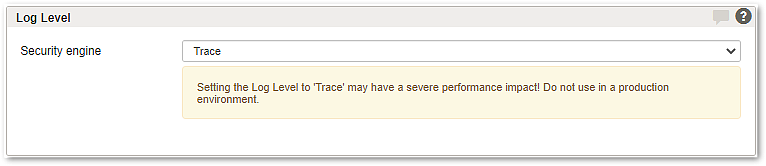
Security engine

The Security engine provides the Log-Level Trace and Info (default).

The Log-Level Trace should only be used for troubleshooting. For performance reasons, the trace mode should always be disabled for productive installations.