Section – Management Access
Here, the management interface can be set. The management interface is used for administrative access to the Airlock Gateway (Configuration Center and SSH) and also for direct communication between Airlock Gateway cluster nodes (see Section – Failover Configuration).
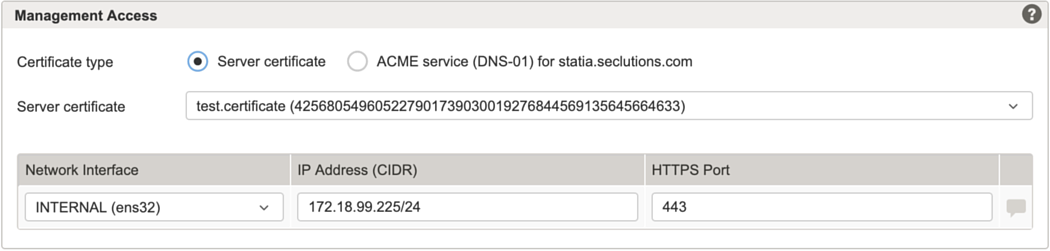
Example with Server certificate enabled:
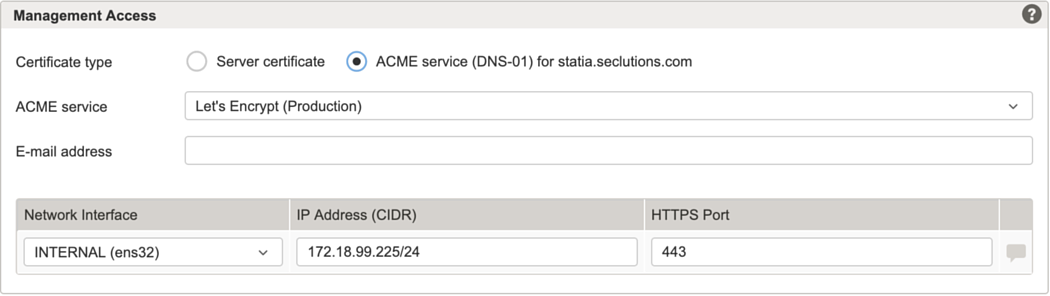
Example with ACME service enabled:
Setting | Description |
|---|---|
Certificate type | Server certificate, the SSL/TLS certificate for this virtual host. When this radio button is selected, the Server certificate field provides a drop-down list for choosing a certificate. |
ACME service as configured in Tab – ACME Services (virtual hosts). Risk If the TLS certificate presented by the configured ACME service endpoint is issued by a CA that is not trusted by the Gateway instance, Airlock Gateway cannot establish the TLS connection to the ACME service. This can prevent certificate issuance or renewal for the management interface and may render the Configuration Center inaccessible over HTTPS.
Notice The name of the virtual host used for ACME is displayed next to the radio-button. It is derived automatically from the node name according to the following rules:
If the derived Virtual Host does not match the intended FQDN, set the node name explicitly to the desired FQDN.
Notice By using an ACME service, you automatically agree to the terms and conditions of use for the service. For the Let's Encrypt subscriber agreement, see the Let's Encrypt policy and legal documentation. | |
Network interface | You can choose either a physical or virtual interface. If no dedicated management network is available, you can use any back-end network interface as the management interface. |
IP address (CIDR) | Specifies the IPv4 or IPv6 address assigned to the management interface for administrative access. If no dedicated management network is available, this can be the same as the back-end IP address. |
HTTPS port | Specifies the port on which the Configuration Center listens for HTTPS (TLS) connections. |