Dual-homed setup
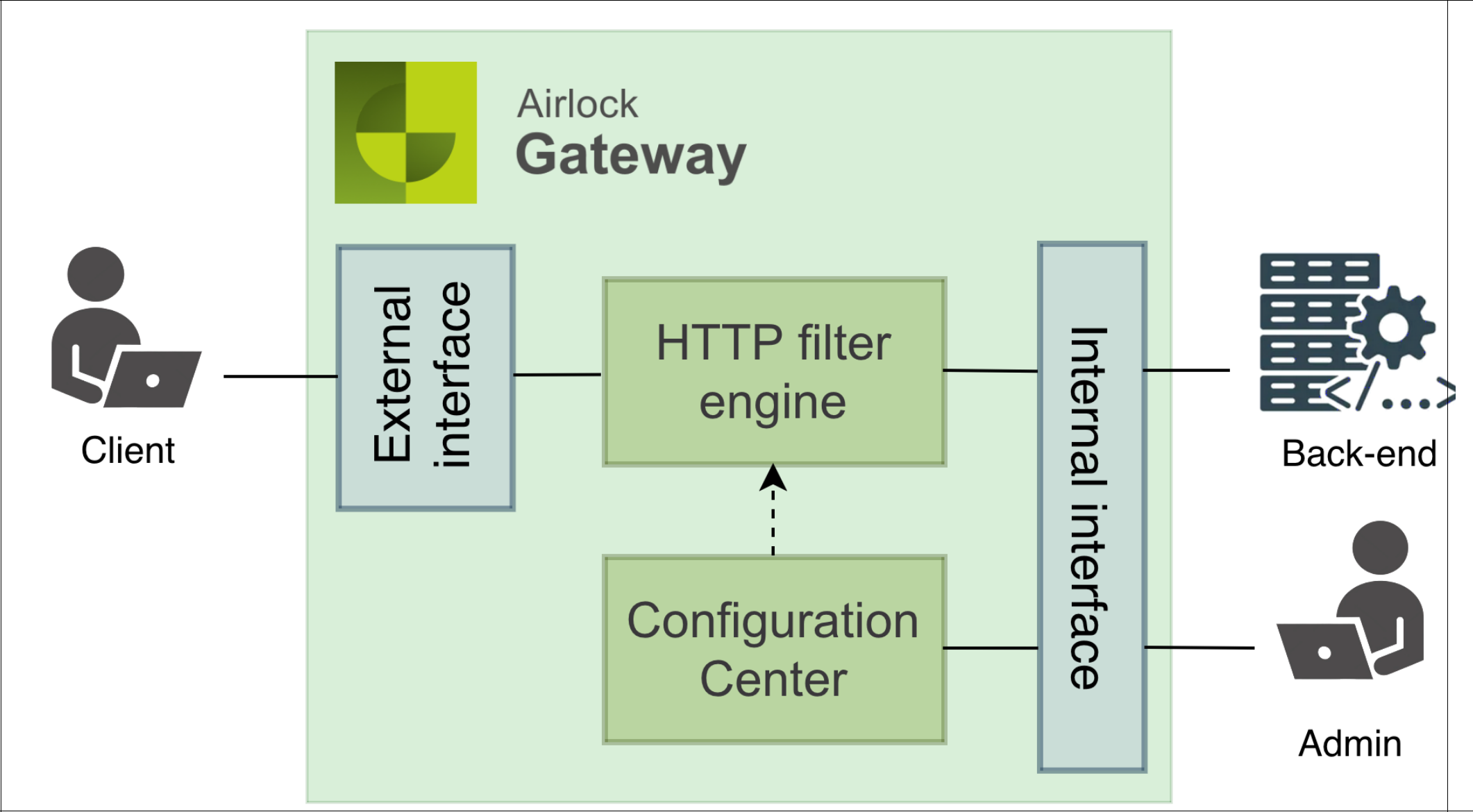
In a dual-homed setup, Airlock Gateway uses two NICs:
- One NIC for the external network (untrusted/client traffic)
- One shared NIC for back-end and management traffic on which backend and management usually share the same IP address
Requirements
- Two NICs (physical or virtual)
- At least two IP addresses:
- one external
- one for backend/management
- Additional routes may be required for NTP, Syslog, Mail, back-end servers, or management clients if they are outside the subnet of the back-end/management NIC.
Advantages
- Stronger security than single-homed: untrusted and trusted traffic are strictly separated by NICs.
- Clearer network segmentation between client-facing and internal flows
Operational considerations
- A firewall on the back-end/management interface is optional, but recommended if unprotected servers exist in this segment. This helps prevent lateral attacks against the Airlock Gateway management console.
- Ensure proper routing so that traffic to external clients returns via the correct interface.
- As with single-homed, if the same client connects to both external and back-end/management IPs, routing ambiguities can arise. NAT or proxies usually prevent this.