Section – Threat Intelligence Feed
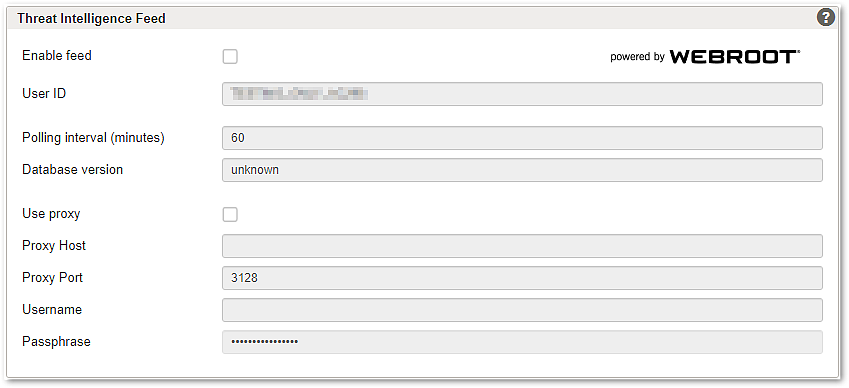
GUI | Description |
|---|---|
Enable feed | Enables the Webroot threat intelligence feed. Once the feed is enabled, the database version field will automatically be updated. |
User ID | User ID for Webroot. This ID is generated from the Webroot license ID and one encrypted MAC address of the machine that receives updates from the Webroot feed. This value may be needed in support cases. |
Polling interval | Defines the interval in minutes for polling the threat intelligence feed database. |
Database version | The database version is provided by the threat intelligence service and updated every time a differential update has been loaded from the threat intelligence feed. The database version indicates the status of the IP Address Lists obtained from Webroot. |
Use proxy | Enables a proxy for connections to the Webroot feed. |
Proxy Host | Specifies the HTTPS proxy server. Functional limitation
|
Proxy Port | Specifies the HTTPS proxy server port. |
Username | Specifies the username used to authenticate with the proxy. |
Password | Specifies the password used to authenticate with the proxy. Info To test the connectivity to the Webroot Threat Intelligence service login into Airlock Gateway with SSH as user |
Logging
All interaction with the Webroot threat intelligence feed are logged as part of the normal operation of Airlock Gateway. To find the log entries in the Log search for the “program” with the name “ip-info-service”.