Language selection mechanism
When accessing an application login page (via the Loginapp) or managing users in the Adminapp, the respective dialog appears in a specific language. This article desribes how the system selects the display language.
The selection is based on priorities. The list below shows the priority order, from lowest to highest.
- First, the language defined as default in the IAM configuration is used. This is one of the languages shipped standardly with Airlock IAM: English, German, French, and Italian.
- In the Config Editor, you find the default language for the Loginapp, Adminapp, and Transaction Approval via
Loginapp/Adminapp/Transaction Approval >> Language Settings >> Basic Settings >> Default Language.
- In the Config Editor, you find the default language for the Loginapp, Adminapp, and Transaction Approval via
- This setting is overruled by the language setting of the browser used to access the respective application. With each request, the browser sends its language settings via the HTTP
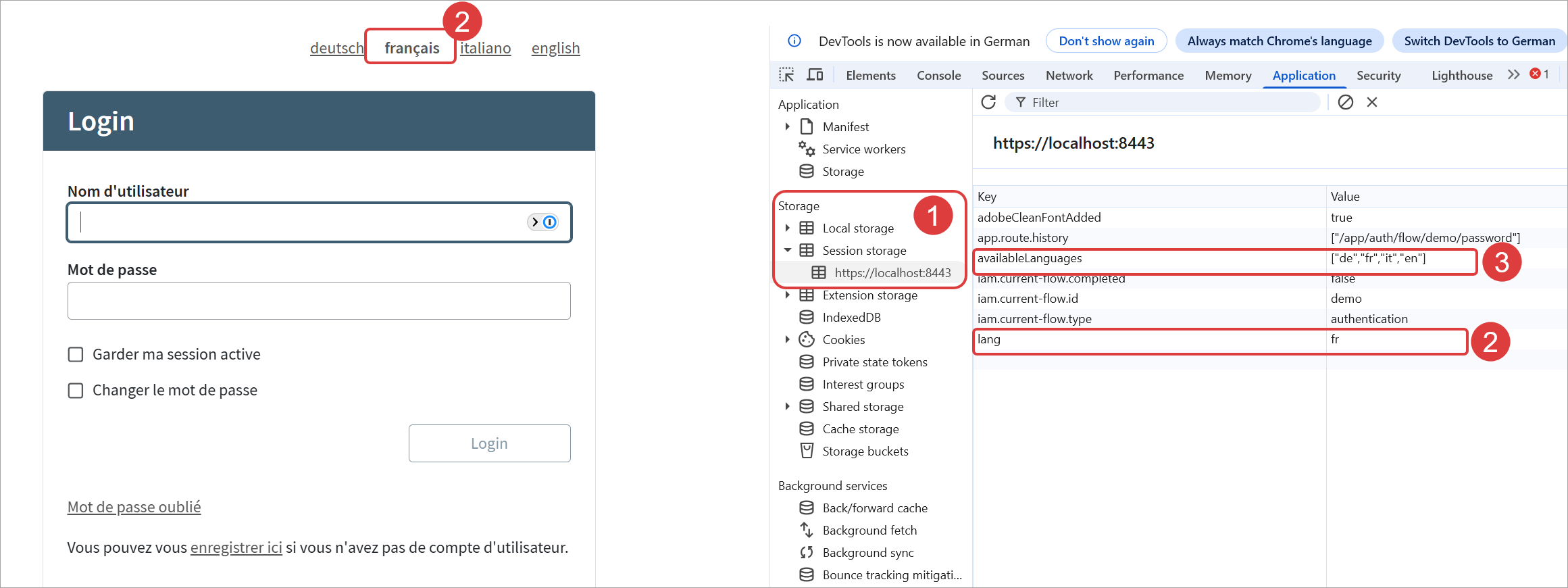
Accept-Languageheader to the IAM server. However, this only affects server-side generated text. - The browser language settings can be overridden by the language already stored in the browser session storage, under the
langkey. TheavailableLanguageskey lists the languages supported by IAM. See the next image: - The URL query parameter
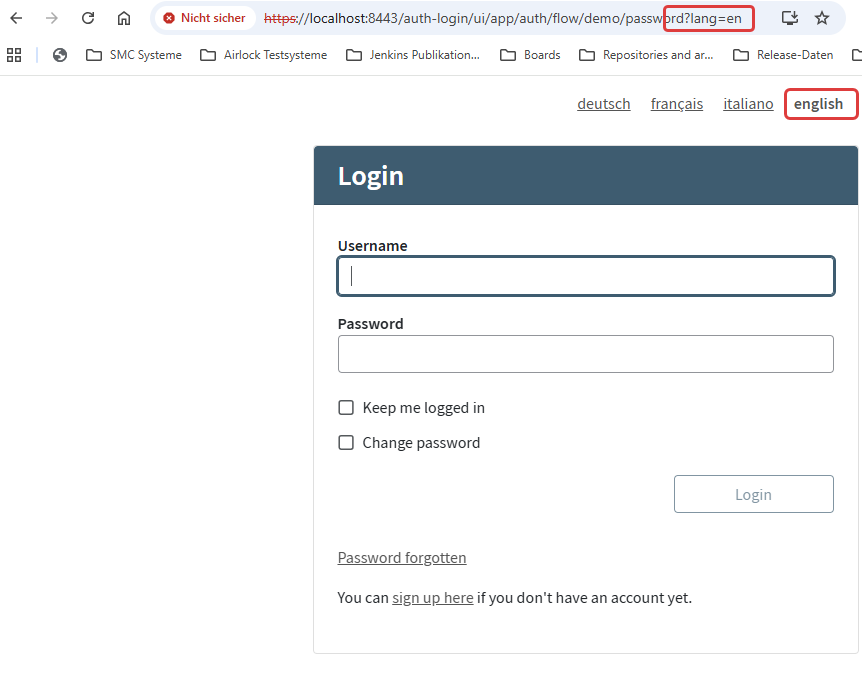
?lang=<language>has the highest priority. If this parameter is added to the URL, the system selects the corresponding language as display language when loading the respective application, overruling all previous settings.